Neglect Reminder

Neglect Reminder

Head movement and visual attention as a patient response framework
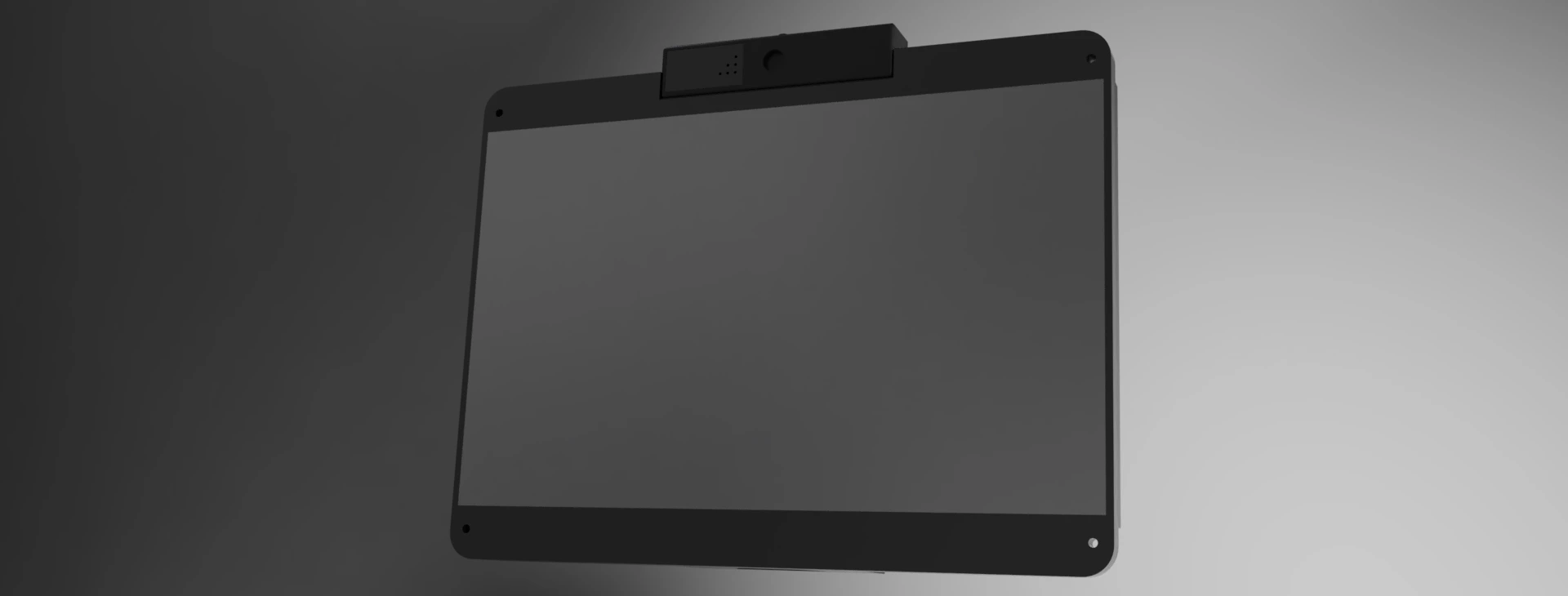
Front render of the Neglect Reminder touchscreen and webcam enclosure

Neglect Reminder, showing the patient-facing display and webcam.
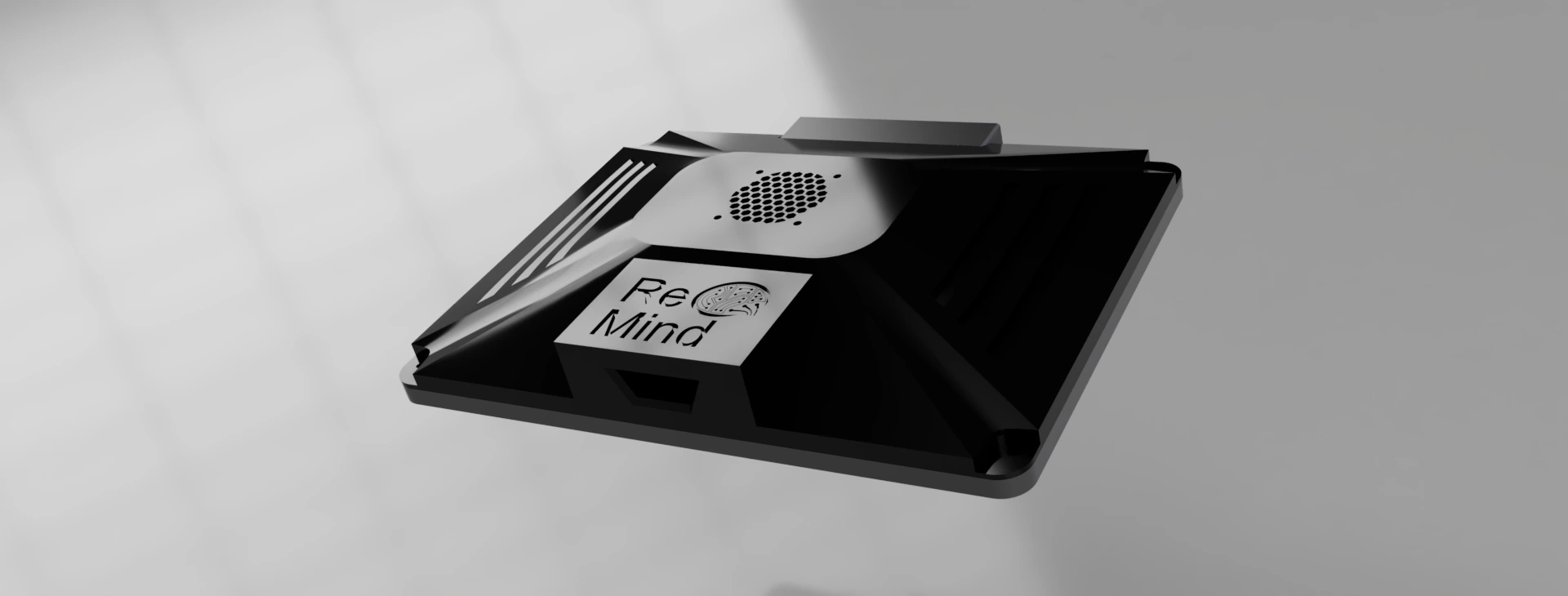
Angled render of the rear enclosure with ReMind branding and ventilation

Enclosure detail and ReMind branding.
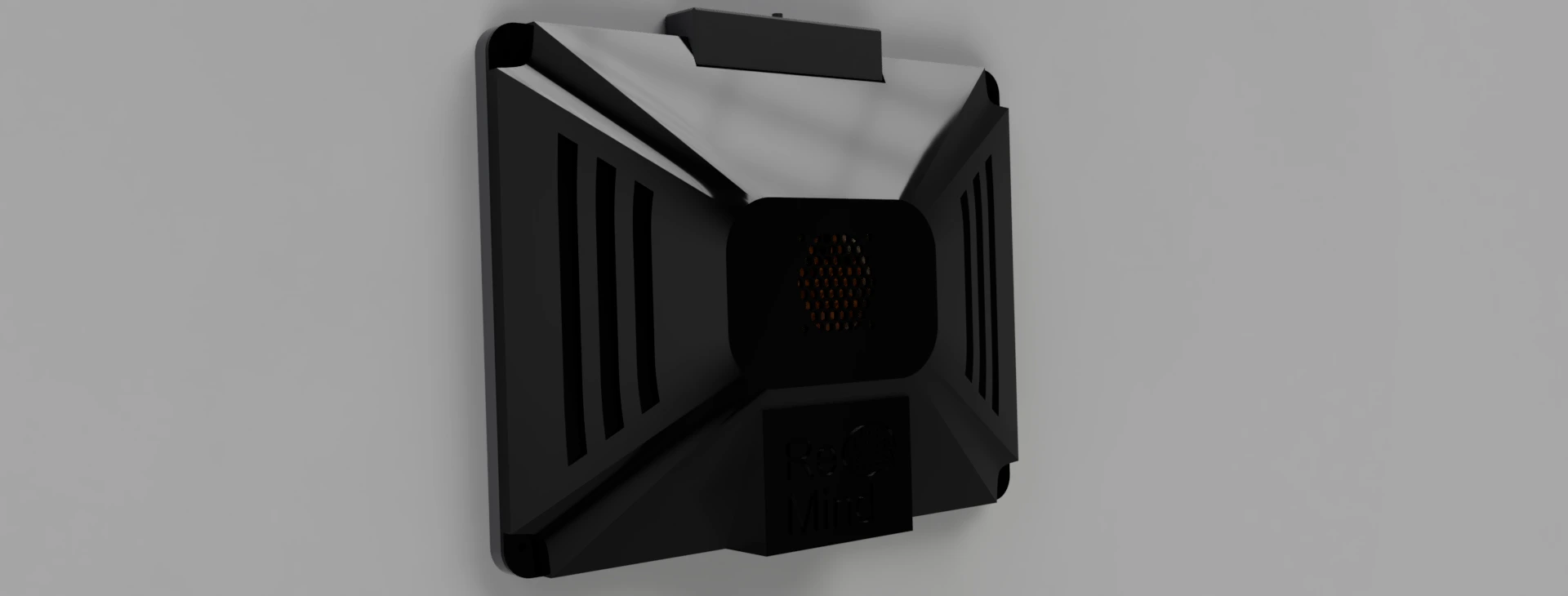
Rear render of the Neglect Reminder device showing its cooling grille and enclosure

Rear view with cooling and ventilation.

Designing Around the Patient

Neglect Reminder was designed for people with neurological injuries who needed a way to respond without using their hands. The project focused on prompting patients to direct attention toward their affected side, using an interaction that required only head and eye movements.

The device plays a scheduled audio cue and presents a visual task. Head tracking provides the selection input, while identifying the requested symbol requires the patient to look at the display. This lets the system record a response without requiring a button press or touchscreen interaction from the patient.

I conducted patient and doctor interviews and collected data to understand the intended use. Those conversations helped frame the project around patients' movement restrictions and the information clinicians wanted to review.

My Contributions

As Software / Electrical Lead, I completed all of the programming and electrical work. That included the facial tracking implementation, the on-screen interaction, configurable settings, and the session logging and export workflow. I also conducted the patient and doctor interviews and handled data collection.

I had very little involvement in the mechanical design. The enclosure, mounting arrangement, and CAD shown in the presentation represent the team's mechanical work.

These two slides demonstrate my facial tracking implementation, from the patient interaction interface to the pose estimation and tuning controls. The original animated demos play directly below.
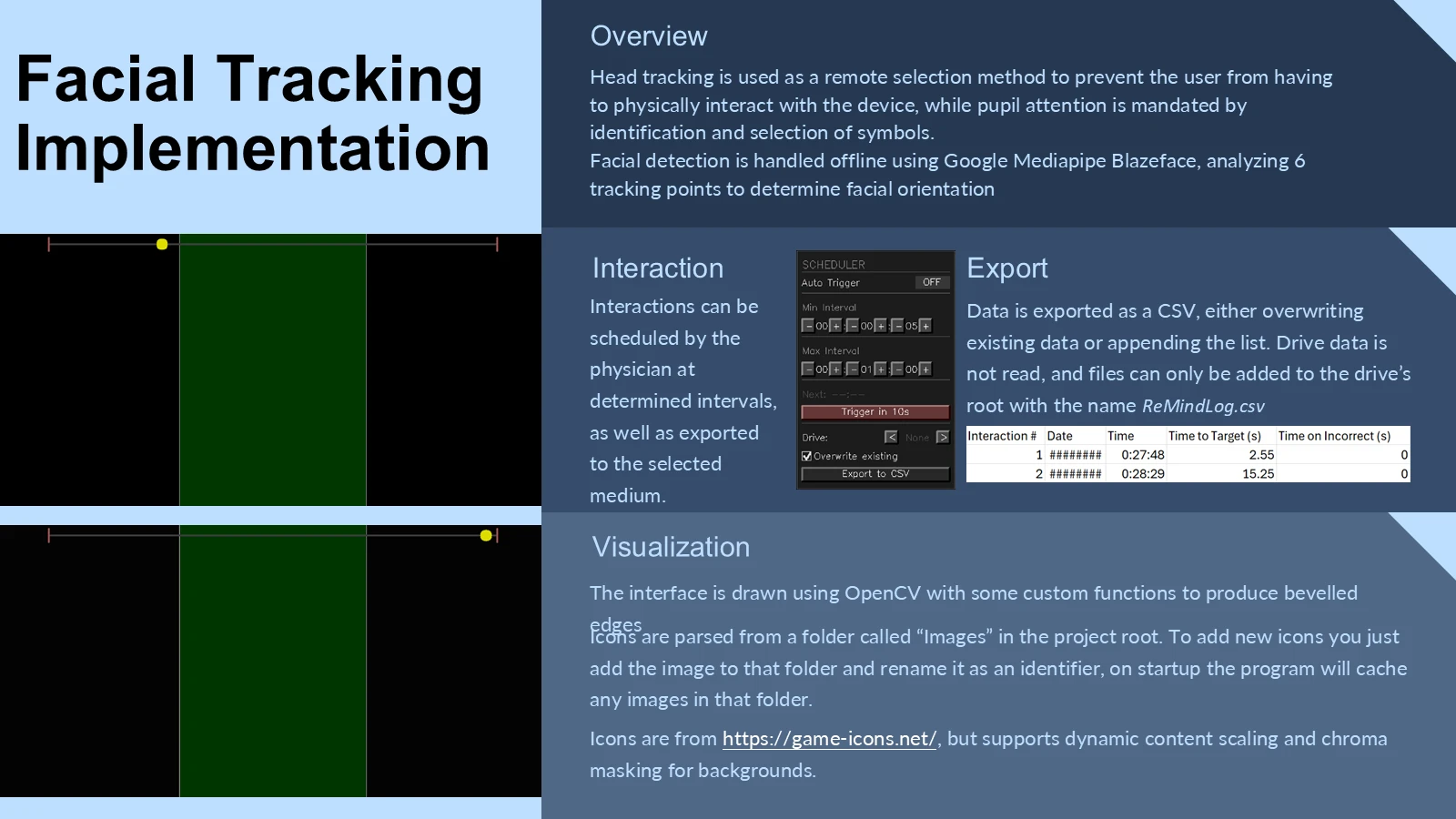
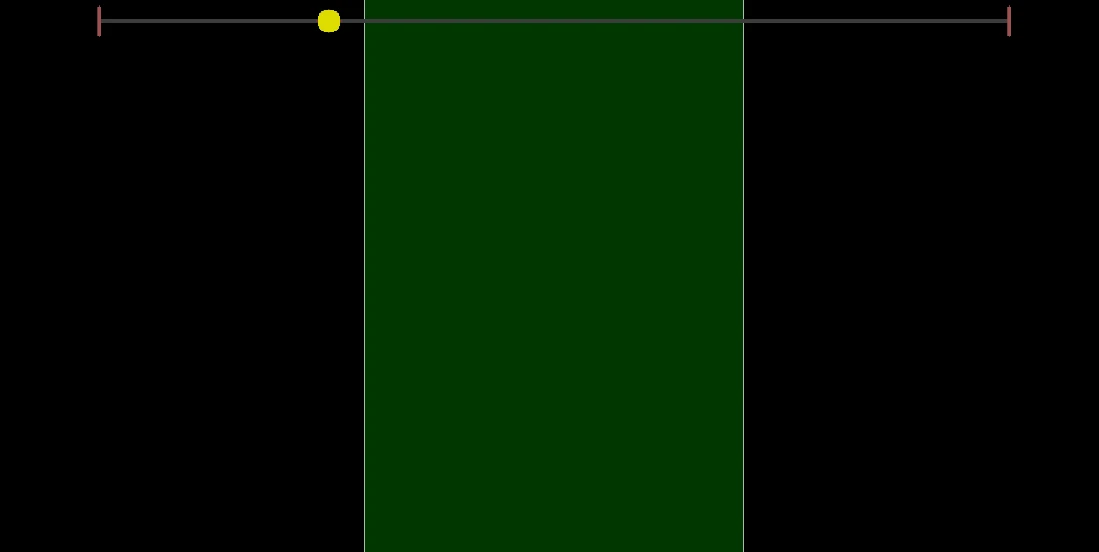
Facial tracking implementation with two animated interface demonstrations and a CSV example Animated demonstration of the patient interaction interface Animated demonstration of the patient interaction interface
8 / 12 · Facial Tracking Implementation
Read slide text

Facial Tracking Implementation

Overview

Head tracking is used as a remote selection method to prevent the user from having to physically interact with the device, while pupil attention is mandated by identification and selection of symbols.

Facial detection is handled offline using Google Mediapipe Blazeface, analyzing 6 tracking points to determine facial orientation

Interaction

Interactions can be scheduled by the physician at determined intervals, as well as exported to the selected medium.

Visualization

Export

Data is exported as a CSV, either overwriting existing data or appending the list. Drive data is not read, and files can only be added to the drive’s root with the name ReMindLog.csv

The interface is drawn using OpenCV with some custom functions to produce bevelled edges

Icons are parsed from a folder called “Images” in the project root. To add new icons you just add the image to that folder and rename it as an identifier, on startup the program will cache any images in that folder.

Icons are from https://game-icons.net/, but supports dynamic content scaling and chroma masking for backgrounds.
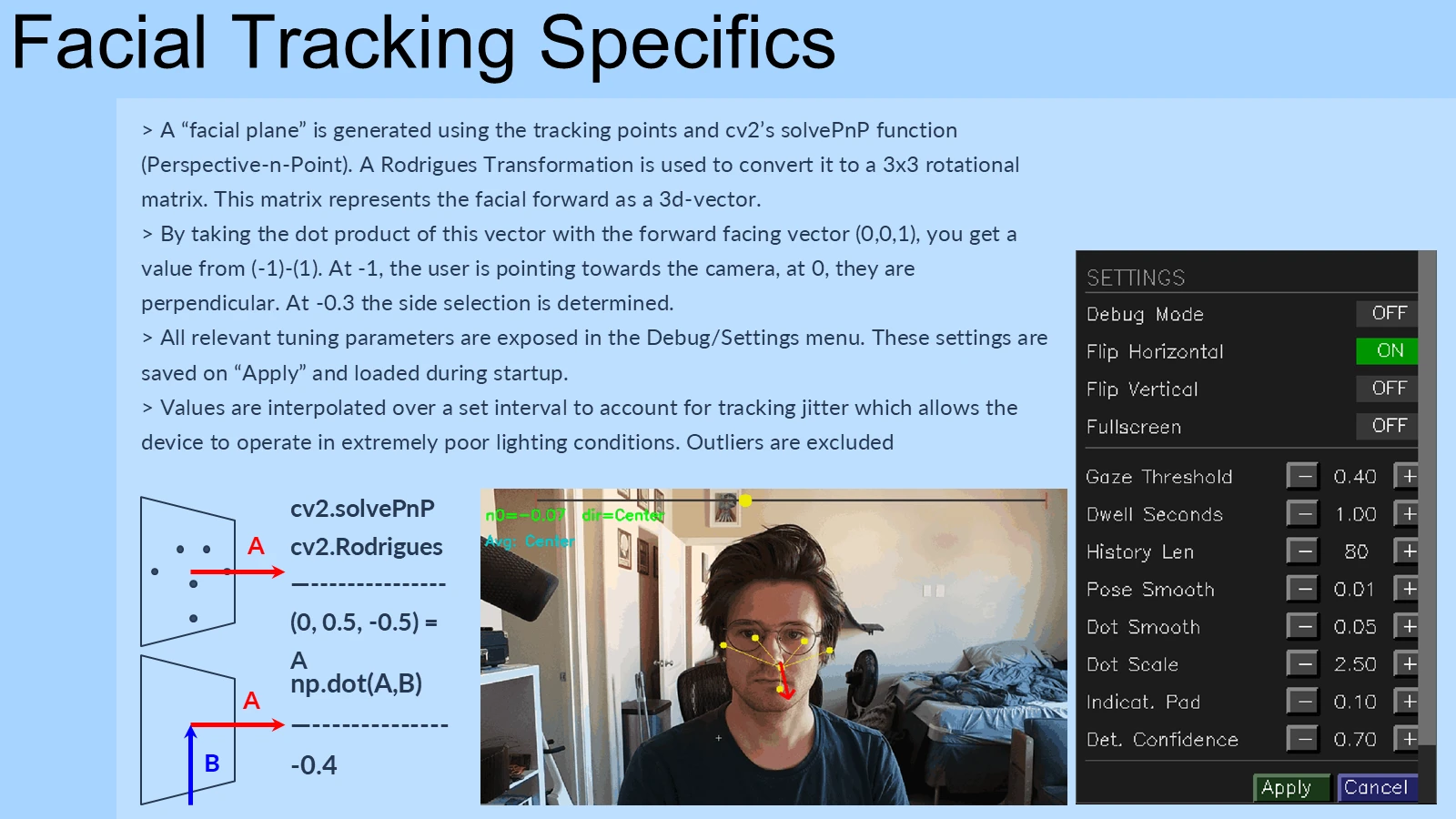
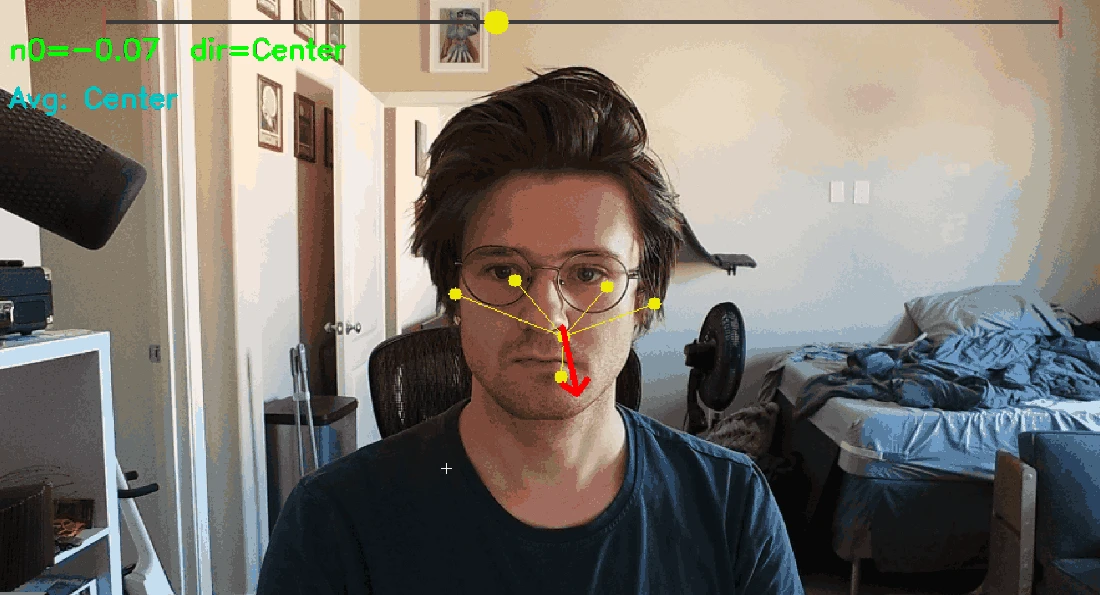
Facial pose estimation explanation with an animated tracking demonstration and settings interface Animated demonstration of facial pose tracking
9 / 12 · Facial Tracking Specifics
Read slide text

Facial Tracking Specifics

> A “facial plane” is generated using the tracking points and cv2’s solvePnP function (Perspective-n-Point). A Rodrigues Transformation is used to convert it to a 3x3 rotational matrix. This matrix represents the facial forward as a 3d-vector.

> By taking the dot product of this vector with the forward facing vector (0,0,1), you get a value from (-1)-(1). At -1, the user is pointing towards the camera, at 0, they are perpendicular. At -0.3 the side selection is determined.

> All relevant tuning parameters are exposed in the Debug/Settings menu. These settings are saved on “Apply” and loaded during startup.

> Values are interpolated over a set interval to account for tracking jitter which allows the device to operate in extremely poor lighting conditions. Outliers are excluded

cv2.solvePnP

cv2.Rodrigues—---------------(0, 0.5, -0.5) = A

np.dot(A,B)

—--------------

-0.4

A

A

B

Offline Facial Tracking

The system processes webcam images locally with MediaPipe BlazeFace. Six facial landmarks feed OpenCV's solvePnP function to estimate facial pose. A Rodrigues transformation converts the pose to a rotation matrix, and a dot product compares the resulting forward vector with a reference direction to determine a side selection.

To stabilize input, the implementation interpolates tracking values over a configurable interval and excludes outliers. A debug/settings menu exposes the tuning parameters, with settings saved on Apply and restored at startup.

The interface is drawn in OpenCV, including custom beveled controls. It loads task icons from an Images folder at startup and supports scaling and background masking. The interaction uses head orientation for selection; it does not directly measure pupil gaze.

See the implementation demos on slide 8 or the facial tracking demonstration on slide 9.

Session Data and Clinician Review

The program loads patient settings and previous session data, then waits for a scheduled interaction. When an alert triggers, it enables the camera, displays the task, and plays the audio cue. It logs time to target, time off target, and the session number and time.

These records export to ReMindLog.csv, either appending to an existing log or replacing it. The purpose was to give doctors data they could chart into performance statistics and review over time for signs of improvement.

The device was designed to operate offline and process camera images without storing them. Data transfer uses a manual USB export rather than a cloud connection.

Electrical and Hardware Integration

The standalone unit combines a Raspberry Pi 5 with an Inland C840 webcam and a Roadom 10-inch touchscreen. A Noctua NF-A4x10 5V PWM fan provides cooling, and a case-mounted USB-A port supports data export.

My electrical work supported the complete device, while the software brought the camera, display, audio prompts, and logging together into the patient interaction workflow. The team's 3D-printed enclosure and VESA-compatible mounting arrangement packaged the system for its intended hospital setting.

Hospital Testing

The final project was deployed at Barrow Neurological Institute for testing. It brought the response framework and data collection workflow into the environment for which they were designed.

The final presentation documents the prototype's limitations, including tracking at extreme patient angles or with significant facial asymmetry, the need for outlet power, and manual data export. It also identifies future work such as battery power, alternative mounting options, and a dedicated eye tracker.
Final Presentation

All 12 presented slides, including the original animated demonstrations

The April 28, 2026 presentation documents the prototype, its demonstrations, and the team's proposed future work. Use the slide controls to explore, or expand the slide text for a readable transcript.

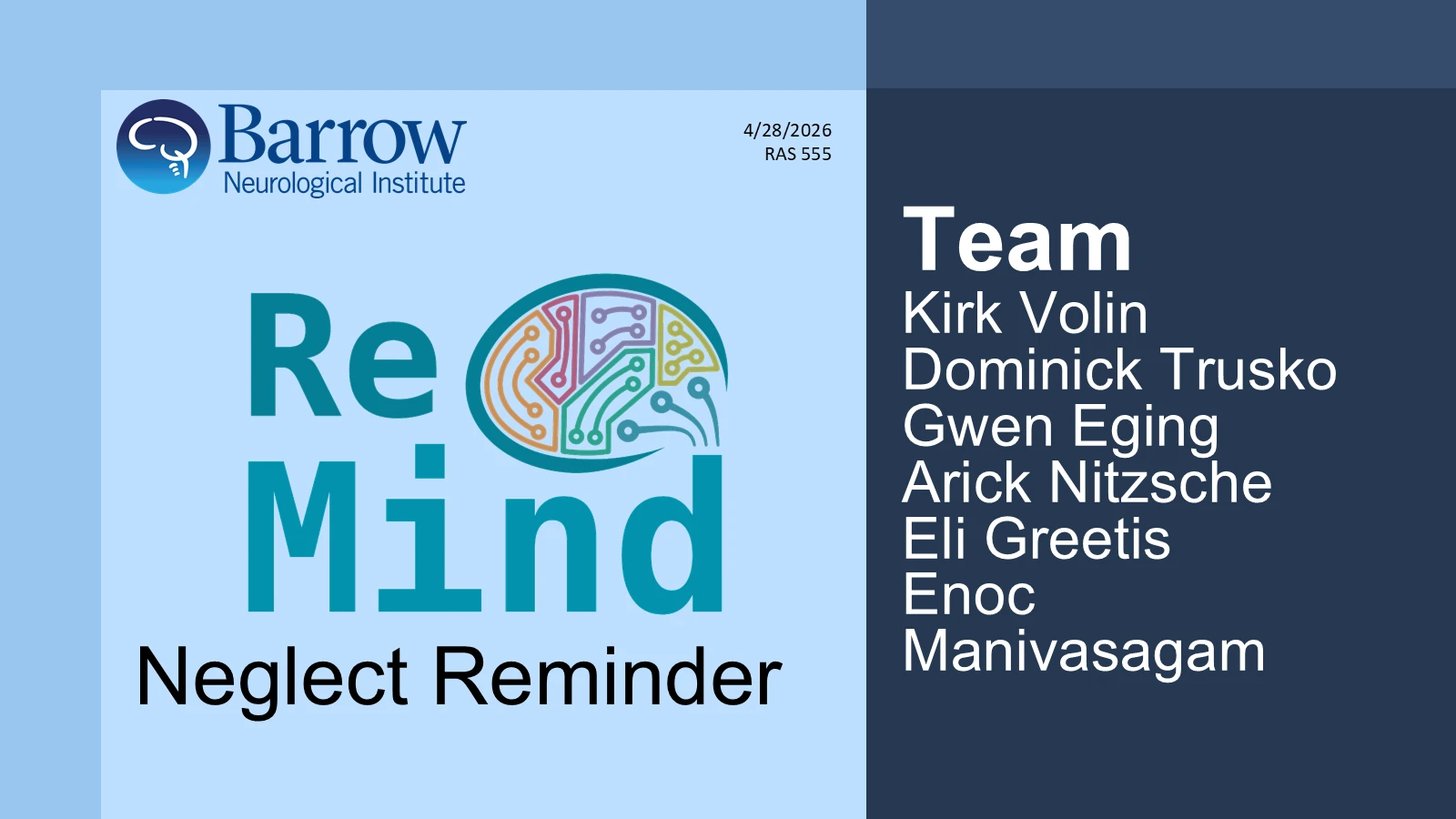
Cover with Barrow Neurological Institute and ReMind branding and the six team members
1 / 12 · Neglect Reminder / Team ReMind
Read slide text

4/28/2026

RAS 555

Neglect Reminder

TeamKirk Volin

Dominick Trusko

Gwen Eging

Arick Nitzsche

Eli Greetis

Enoc Manivasagam

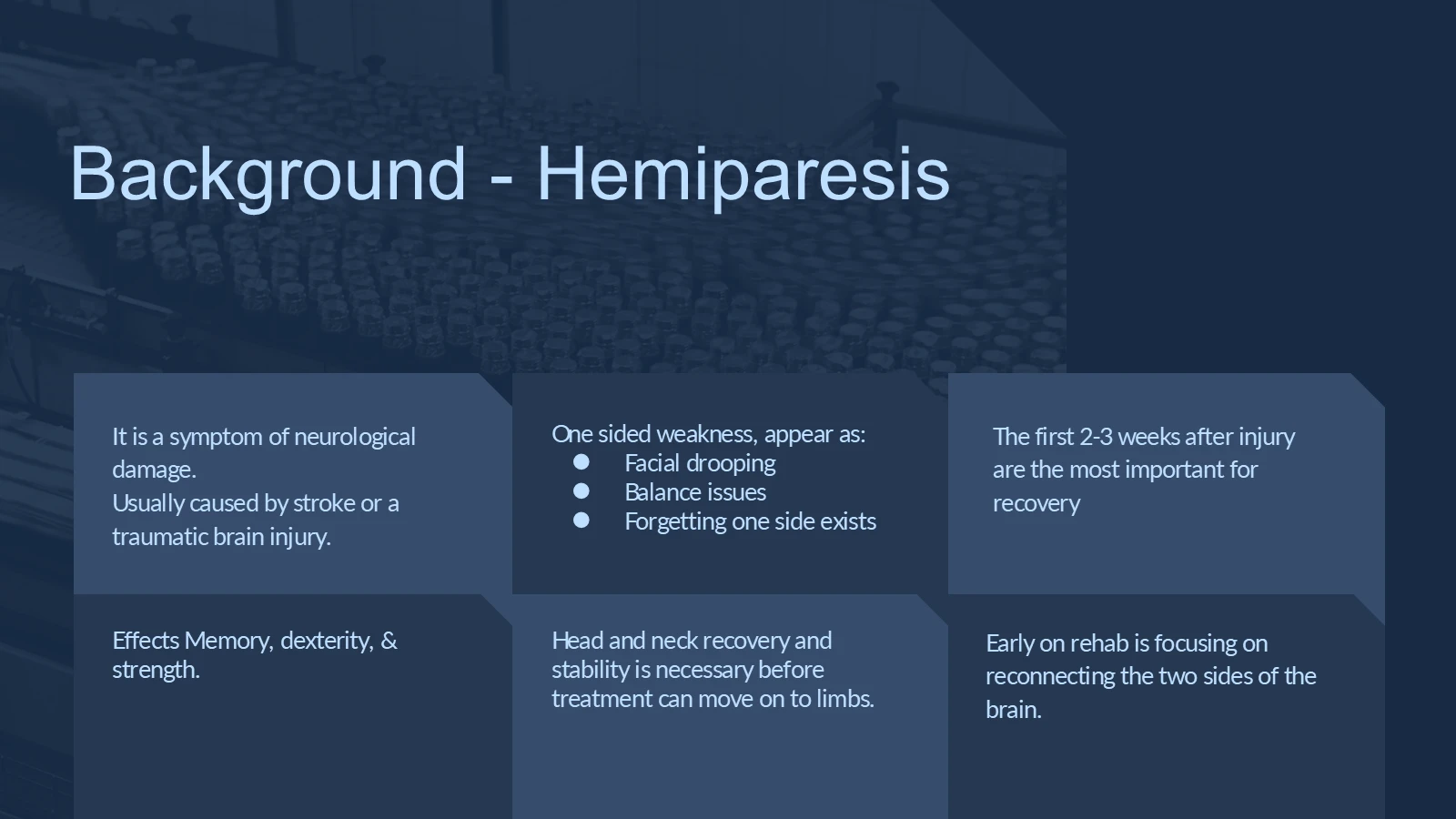
Original project background slide on neurological injury and rehabilitation
2 / 12 · Background – Hemiparesis
Read slide text

Background - Hemiparesis

It is a symptom of neurological damage.

Usually caused by stroke or a traumatic brain injury.

The first 2-3 weeks after injury are the most important for recovery

Effects Memory, dexterity, & strength.

One sided weakness, appear as:

Facial drooping

Balance issues

Forgetting one side exists

Head and neck recovery and stability is necessary before treatment can move on to limbs.

Early on rehab is focusing on reconnecting the two sides of the brain.

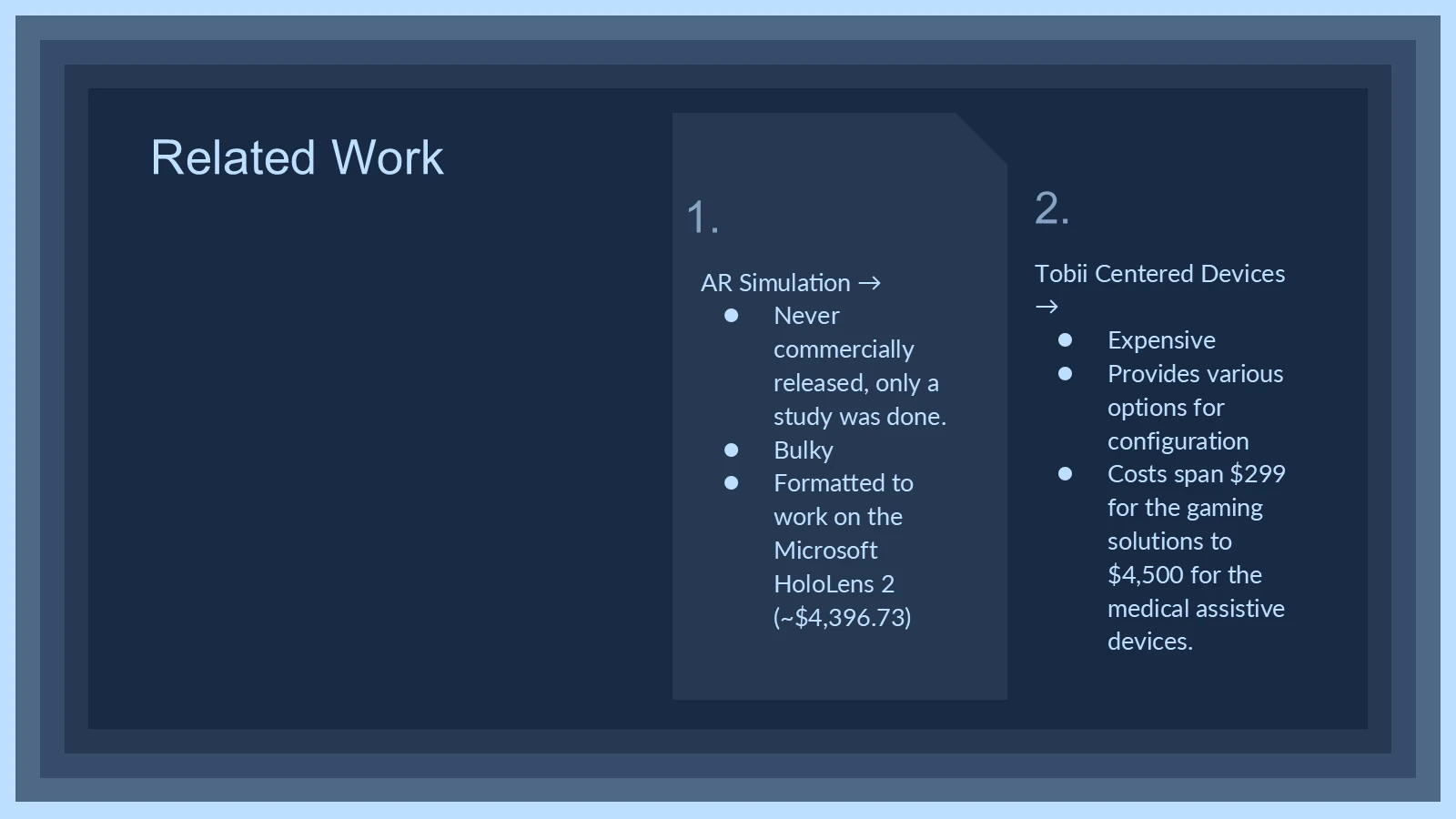
Original related work slide comparing AR and Tobii-based devices
3 / 12 · Related Work
Read slide text

Related Work

AR Simulation →

Never commercially released, only a study was done.

Bulky

Formatted to work on the Microsoft HoloLens 2 (~$4,396.73)

1.

2.

Tobii Centered Devices →

Expensive

Provides various options for configuration

Costs span $299 for the gaming solutions to $4,500 for the medical assistive devices.

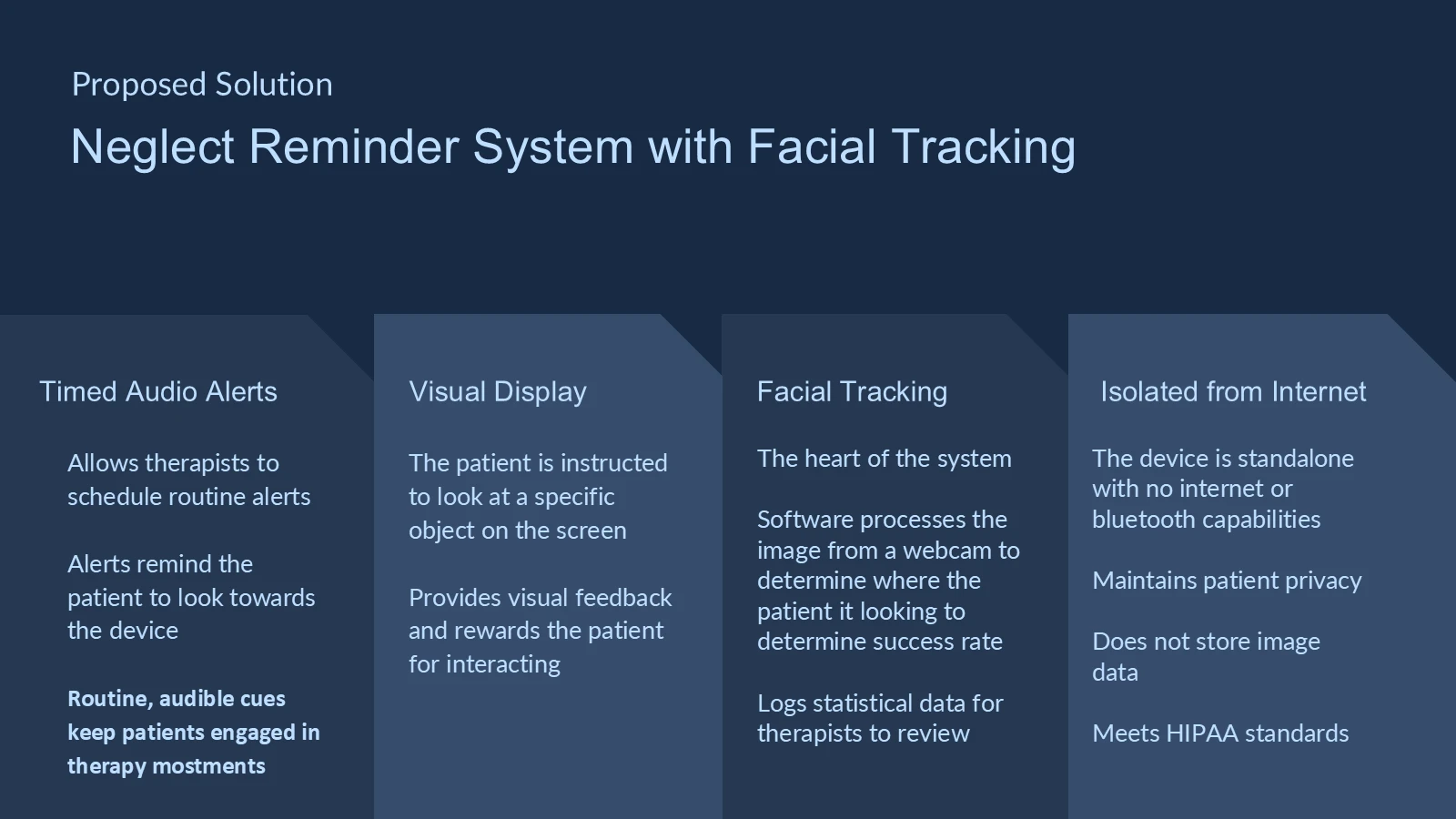
Proposed solution: timed audio alerts, visual display, facial tracking, and offline operation
4 / 12 · Proposed Solution
Read slide text

Neglect Reminder System with Facial Tracking

Proposed Solution

Timed Audio Alerts

Allows therapists to schedule routine alerts

Alerts remind the patient to look towards the device

Routine, audible cues keep patients engaged in therapy mostments

Visual Display

The patient is instructed to look at a specific object on the screen

Provides visual feedback and rewards the patient for interacting

Facial Tracking

The heart of the system

Software processes the image from a webcam to determine where the patient it looking to determine success rate

Logs statistical data for therapists to review

Isolated from Internet

The device is standalone with no internet or bluetooth capabilities

Maintains patient privacy

Does not store image data

Meets HIPAA standards

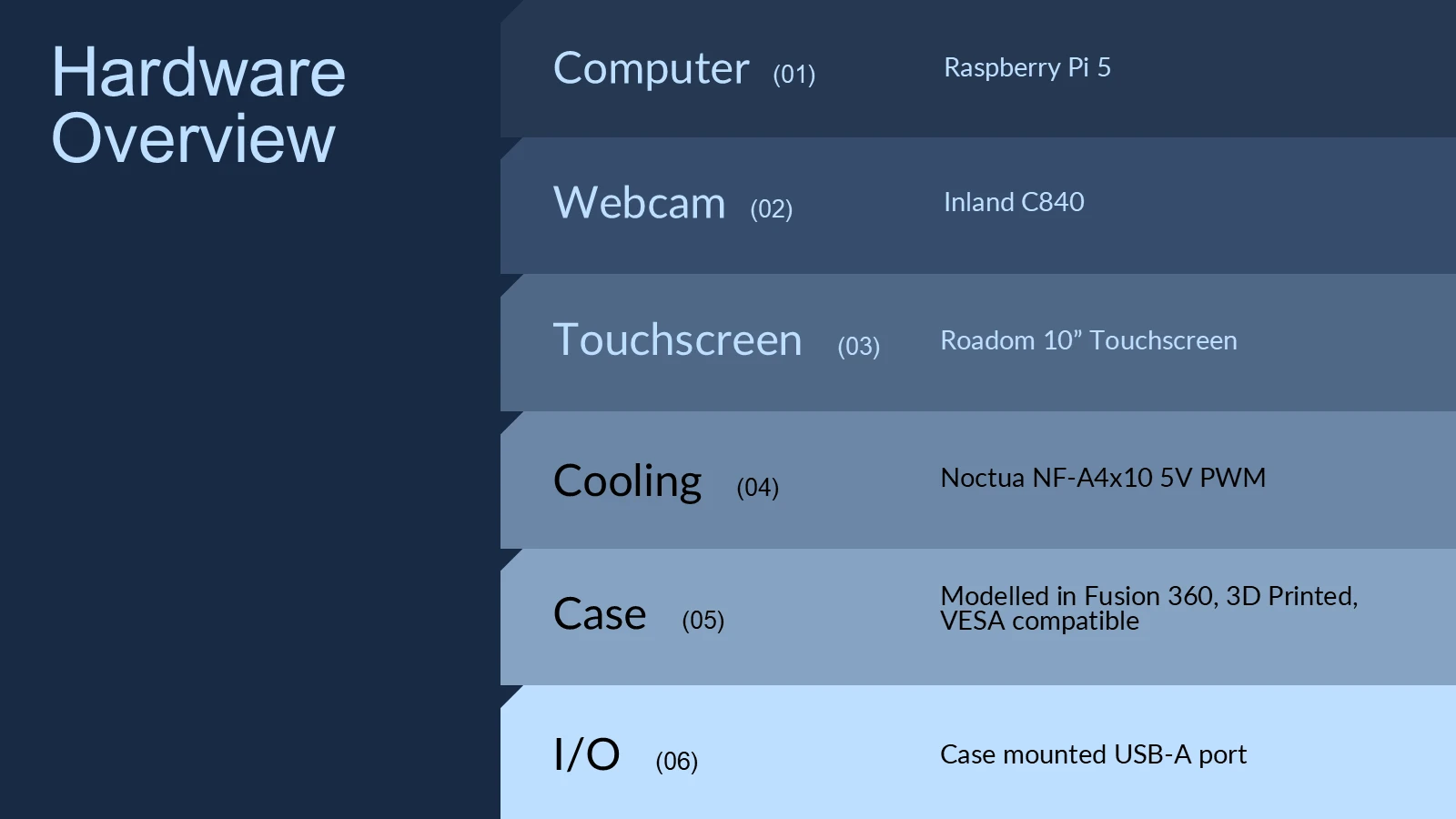
Hardware list: Raspberry Pi, webcam, touchscreen, cooling, enclosure, and USB port
5 / 12 · Hardware Overview
Read slide text

Hardware Overview

Computer (01)

Webcam (02)

Touchscreen (03)

Cooling (04)

Case (05)

I/O (06)

Raspberry Pi 5

Inland C840

Roadom 10” Touchscreen

Noctua NF-A4x10 5V PWM

Modelled in Fusion 360, 3D Printed, VESA compatible

Case mounted USB-A port

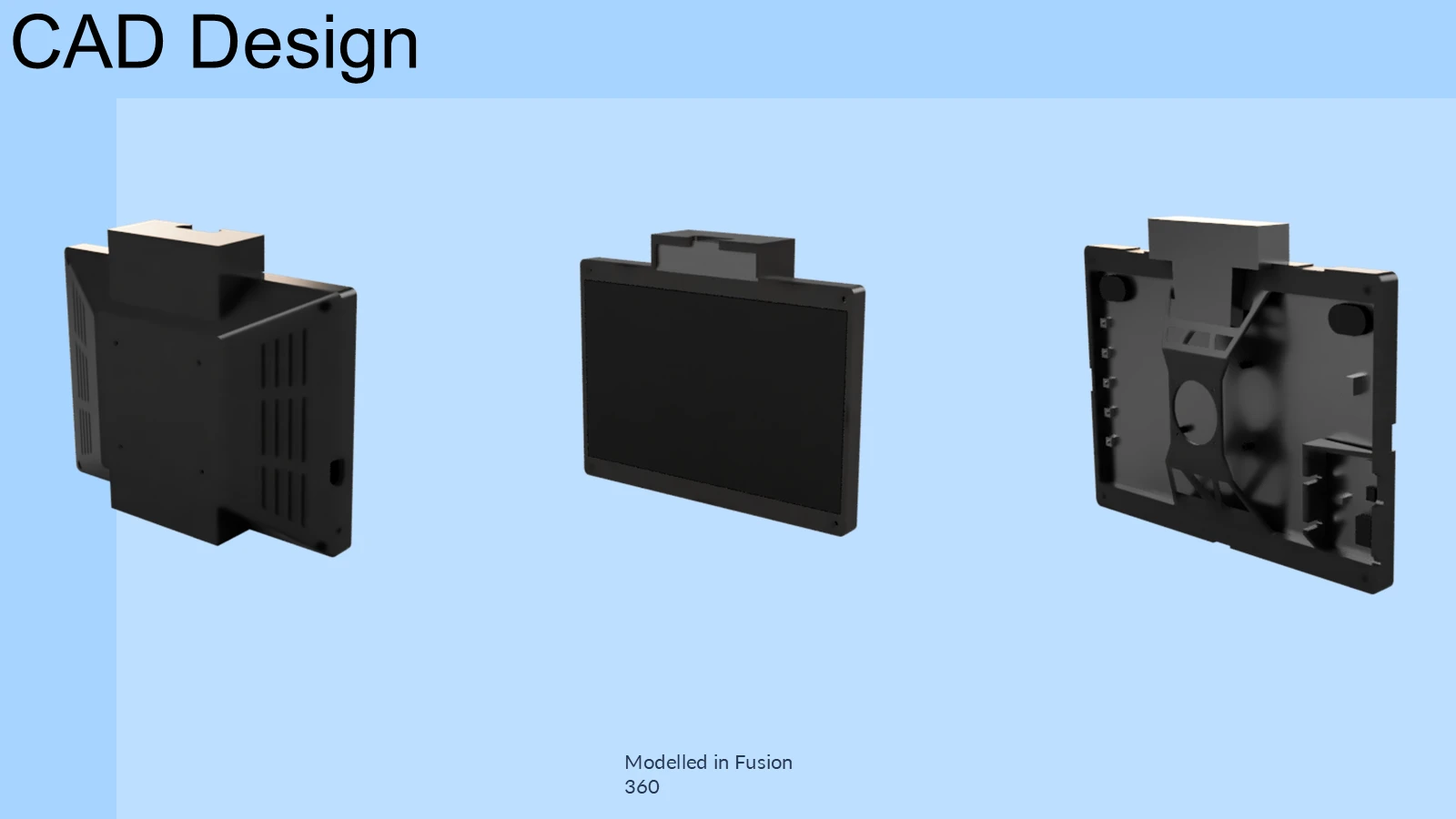
Three CAD views of the complete device and its internal components
6 / 12 · CAD Design
Read slide text

CAD Design

Modelled in Fusion 360

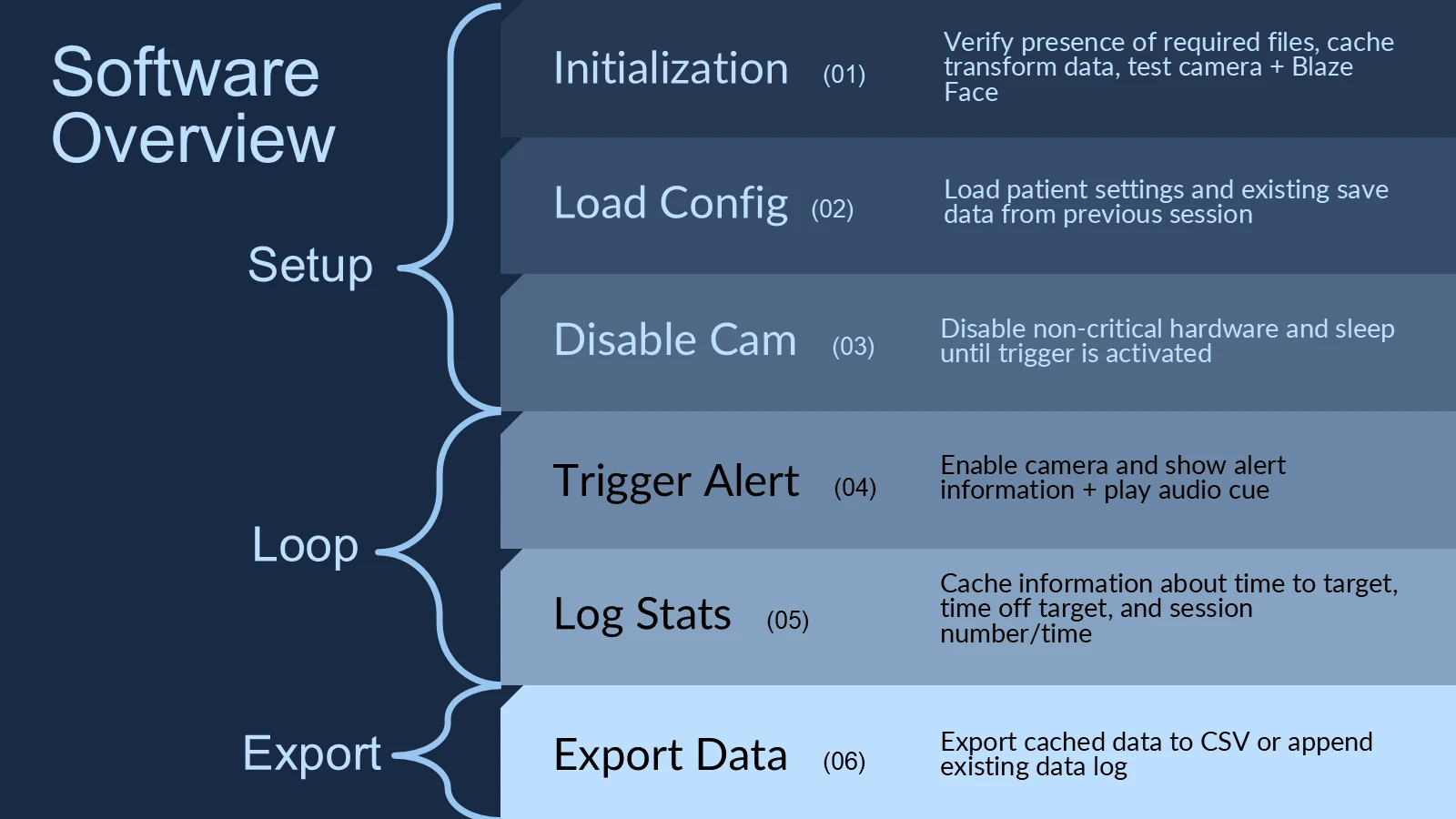
Program flow from initialization and patient settings through scheduled alerts, logging, and CSV export
7 / 12 · Software Overview
Read slide text

Software Overview

Initialization (01)

Load Config (02)

Disable Cam (03)

Trigger Alert (04)

Log Stats (05)

Export Data (06)

Verify presence of required files, cache transform data, test camera + Blaze Face

Load patient settings and existing save data from previous session

Disable non-critical hardware and sleep until trigger is activated

Enable camera and show alert information + play audio cue

Cache information about time to target, time off target, and session number/time

Export cached data to CSV or append existing data log

Setup

Loop

Export

Facial tracking implementation with two animated interface demonstrations and a CSV example Animated demonstration of the patient interaction interface Animated demonstration of the patient interaction interface
8 / 12 · Facial Tracking Implementation
Read slide text

Facial Tracking Implementation

Overview

Head tracking is used as a remote selection method to prevent the user from having to physically interact with the device, while pupil attention is mandated by identification and selection of symbols.

Facial detection is handled offline using Google Mediapipe Blazeface, analyzing 6 tracking points to determine facial orientation

Interaction

Interactions can be scheduled by the physician at determined intervals, as well as exported to the selected medium.

Visualization

Export

Data is exported as a CSV, either overwriting existing data or appending the list. Drive data is not read, and files can only be added to the drive’s root with the name ReMindLog.csv

The interface is drawn using OpenCV with some custom functions to produce bevelled edges

Icons are parsed from a folder called “Images” in the project root. To add new icons you just add the image to that folder and rename it as an identifier, on startup the program will cache any images in that folder.

Icons are from https://game-icons.net/, but supports dynamic content scaling and chroma masking for backgrounds.

Facial pose estimation explanation with an animated tracking demonstration and settings interface Animated demonstration of facial pose tracking
9 / 12 · Facial Tracking Specifics
Read slide text

Facial Tracking Specifics

> A “facial plane” is generated using the tracking points and cv2’s solvePnP function (Perspective-n-Point). A Rodrigues Transformation is used to convert it to a 3x3 rotational matrix. This matrix represents the facial forward as a 3d-vector.

> By taking the dot product of this vector with the forward facing vector (0,0,1), you get a value from (-1)-(1). At -1, the user is pointing towards the camera, at 0, they are perpendicular. At -0.3 the side selection is determined.

> All relevant tuning parameters are exposed in the Debug/Settings menu. These settings are saved on “Apply” and loaded during startup.

> Values are interpolated over a set interval to account for tracking jitter which allows the device to operate in extremely poor lighting conditions. Outliers are excluded

cv2.solvePnP

cv2.Rodrigues—---------------(0, 0.5, -0.5) = A

np.dot(A,B)

—--------------

-0.4

A

A

B

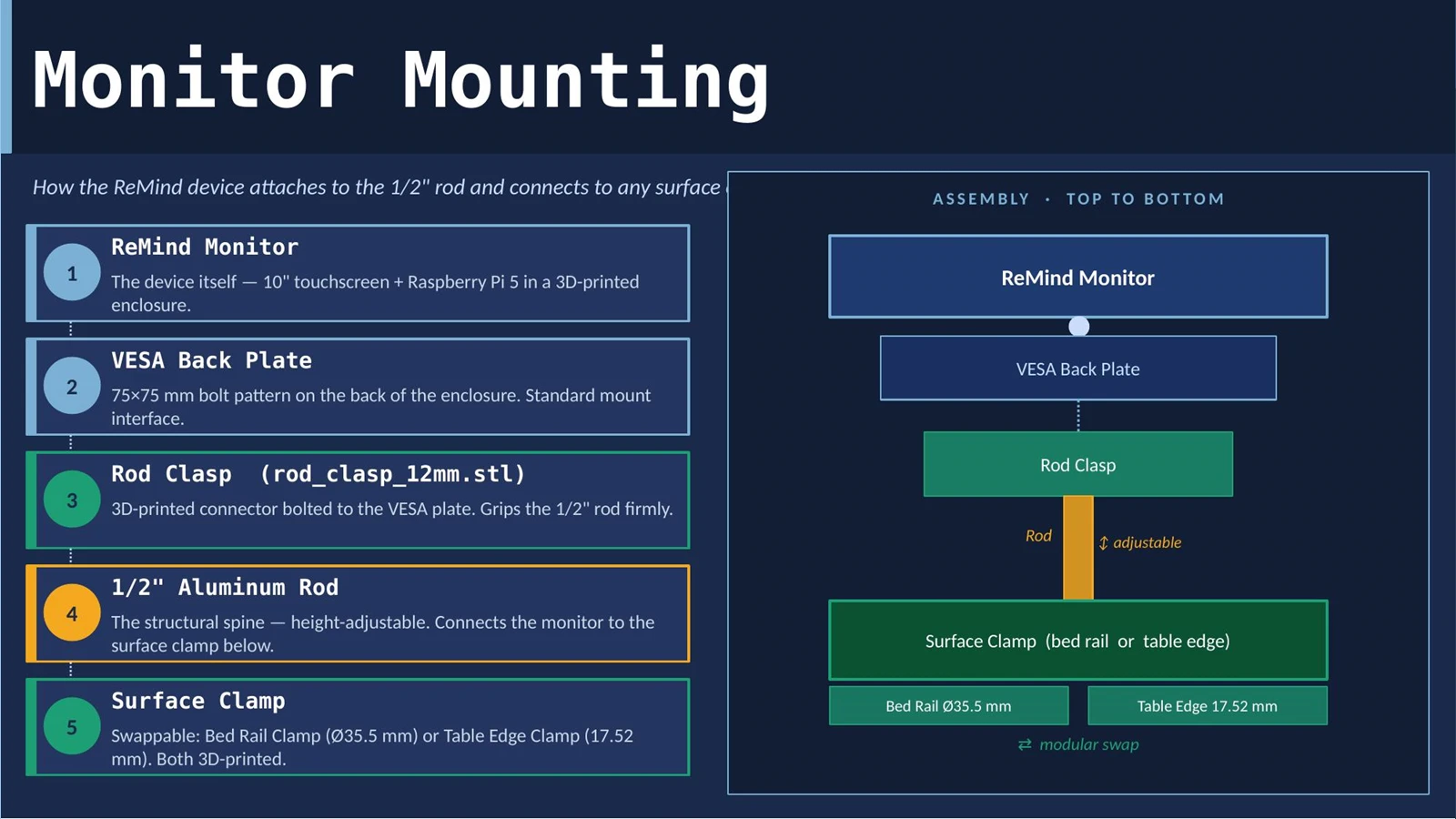
Team documentation showing the VESA mount, clamp components, and mounting assembly
10 / 12 · Monitor Mounting
Read slide text

Date

Company Name

Mounting of the device

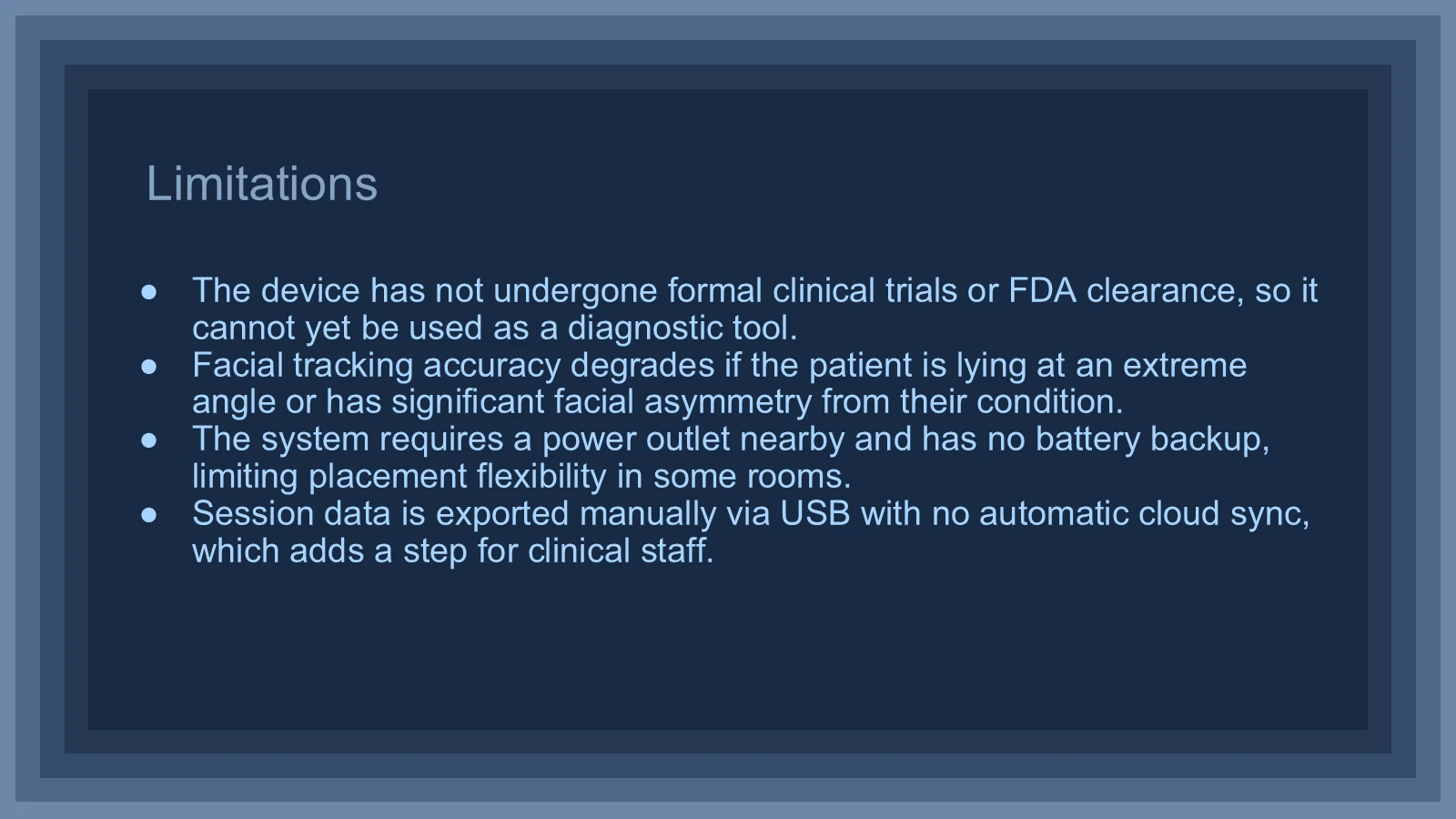
Original prototype limitations and clinical validation status at presentation time
11 / 12 · Limitations
Read slide text

Limitations

The device has not undergone formal clinical trials or FDA clearance, so it cannot yet be used as a diagnostic tool.

Facial tracking accuracy degrades if the patient is lying at an extreme angle or has significant facial asymmetry from their condition.

The system requires a power outlet nearby and has no battery backup, limiting placement flexibility in some rooms.

Session data is exported manually via USB with no automatic cloud sync, which adds a step for clinical staff.

Proposed future work: clinical trials, battery, eye tracker, and mounting improvements
12 / 12 · Future Work
Read slide text

Future Work

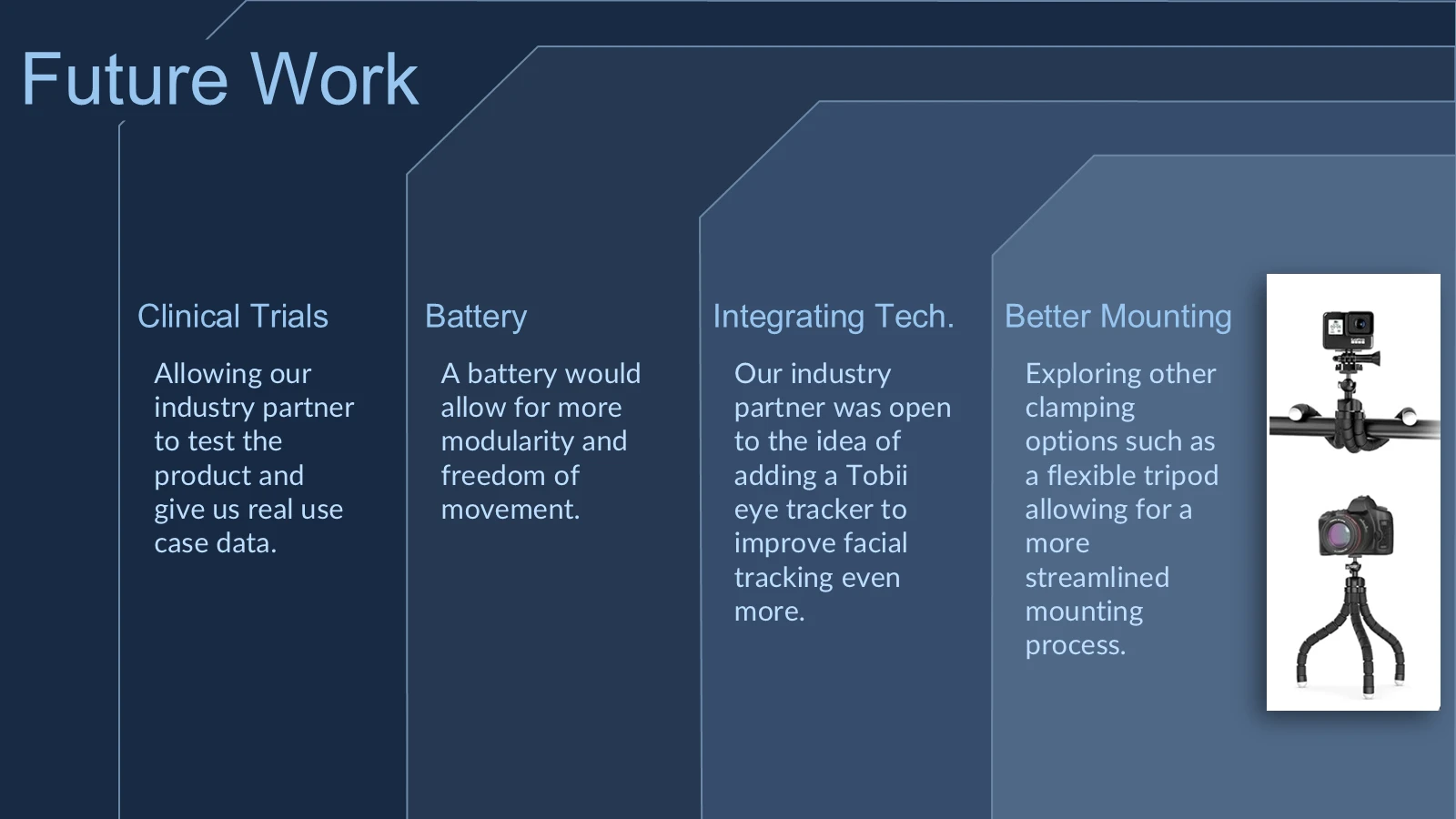
Allowing our industry partner to test the product and give us real use case data.

Clinical Trials

A battery would allow for more modularity and freedom of movement.

Battery

Integrating Tech.

Better Mounting

Exploring other clamping options such as a flexible tripod allowing for a more streamlined mounting process.

Our industry partner was open to the idea of adding a Tobii eye tracker to improve facial tracking even more.

Download the original PowerPoint (28 MB).